What is YAZGA?
YAZGA, is an app for writing ancient alphabets in markdown files.
How to install YAZGA?
YAZGA is a web application but with an appropriate browser it can be installed and used as a desktop application.
To install click on the “Install” button on the address bar. After installation, you may double click on the YAZGA icon on your desktop to open the app.

YAZGA UI
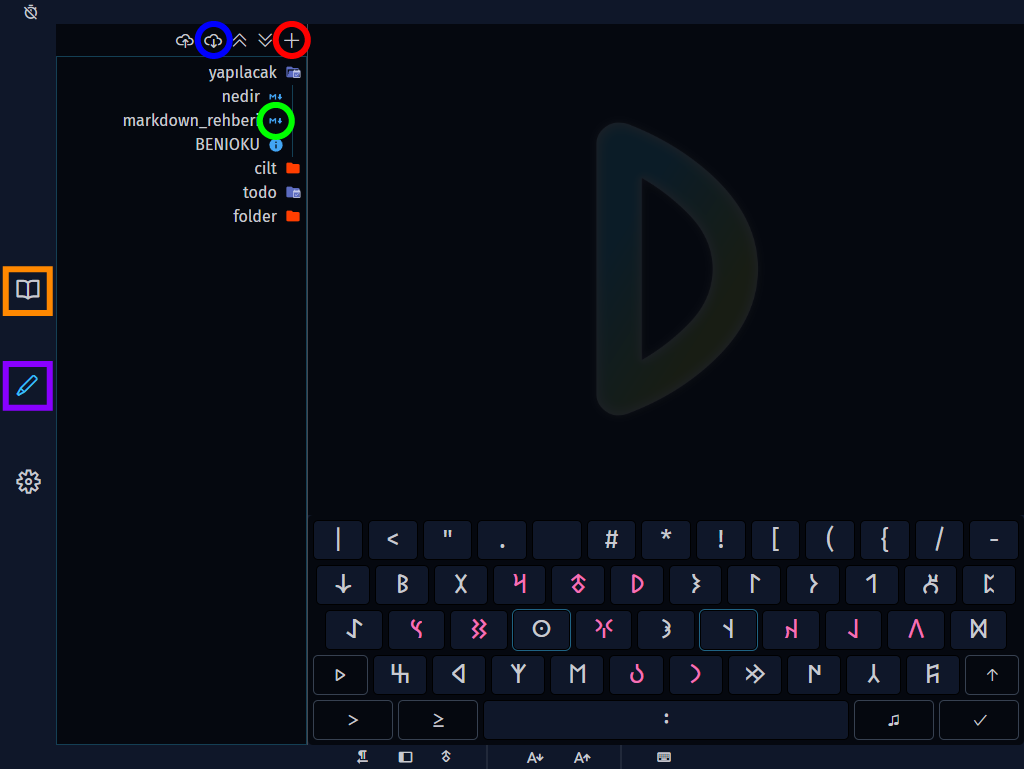
- 🔴 Create new file
- 🔵 Download
- 🟢 Open existing file
- 🟪 Writing mode
- 🟧 Reading mode
Super Keys
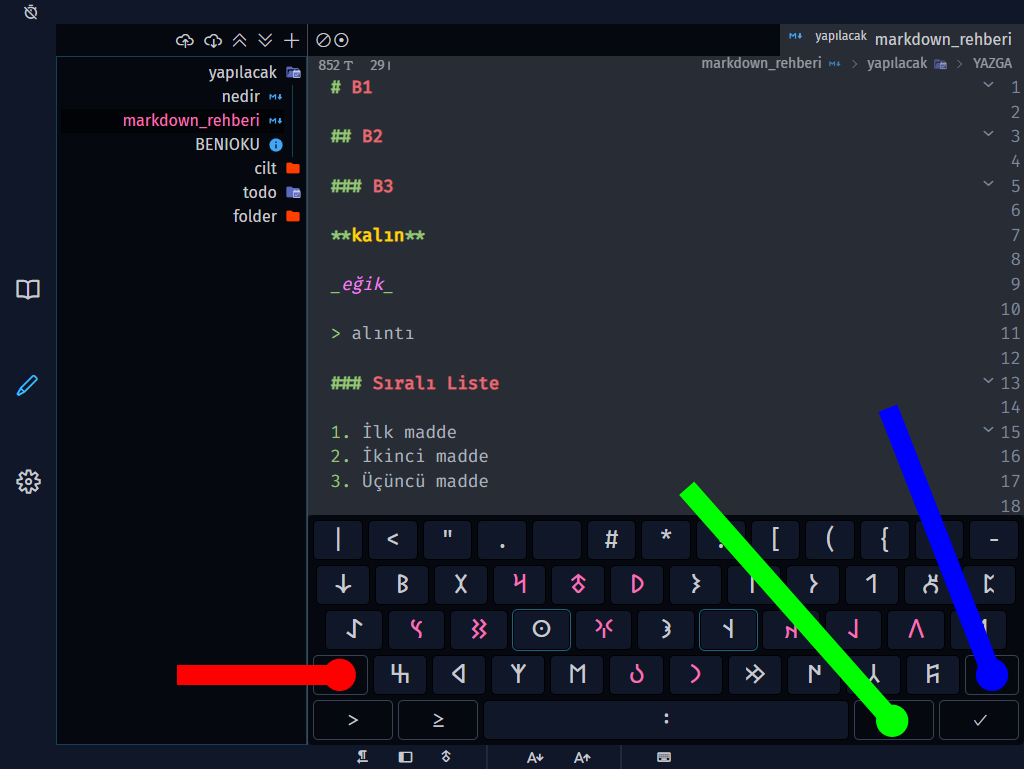
- 🟥🔴 Left Shift: Start/Stop and see equivalent latin letters
- 🟩🟢 Caps Lock: Toggle between harmonic sounds
- 🟦🔵 Right Shift: See alternative glyphs
Auto Save
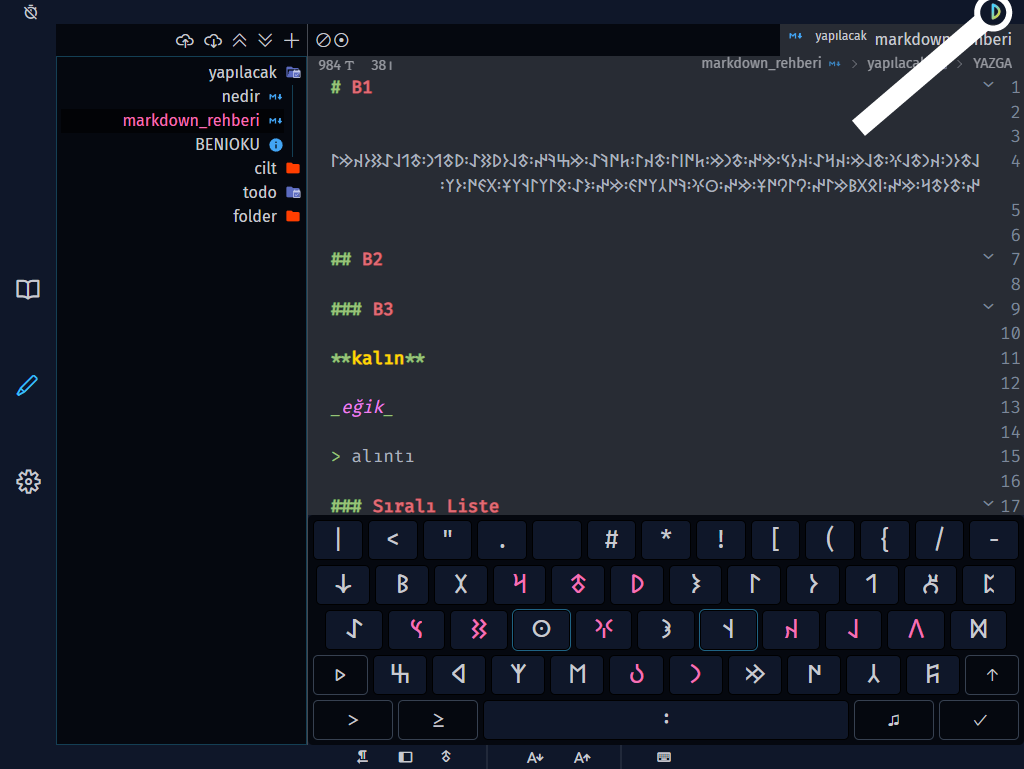
YAZGA automatically saves your changes. When you see the YAZGA icon in the top right corner within 5 seconds after you stop typing or change a setting, it means auto-saving is in progress. Once the saving process is complete, the icon disappears. Even if you close the application, you can pick up right where you left off when you reopen it.
🖥️ On Windows
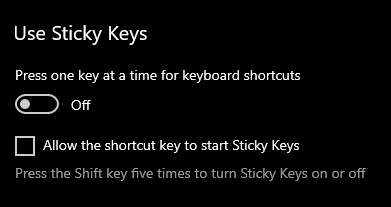
You may want to disable sticky keys.
Windows 10/11
- Settings > Ease of Access > Keyboard > Sticky keys
- Disable “Press one key at a time for keyboard shortcuts”
- Uncheck “Allow the shortcut key to start Sticky keys”
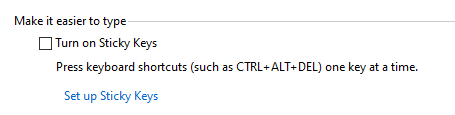
Windows 7/8
- Control Panel > Ease of Access > Ease of Access Center > Keyboard > Make the keyboard easier to use
- Uncheck “Turn on Sticky Keys”
🛡️ Security
- YAZGA cannot access files on your computer.
- Do not use this application to store sensitive information such as passwords.
Crafted with 💙 by YAZGA