YAZAR - Obsidian Plugin Guide
🎹 A refined vessel for the timeless elegance of primordial glyphs


1. What is YAZAR?
YAZAR is a plugin that allows you to write in ancient alphabets such as Old Turkic and Runic within Obsidian notes. With this plugin, you can easily use tamgaic and runic characters and organize your notes in a more aesthetic way.
2. Installation
- Open Obsidian.
- Go to Settings.
- Select Community Plugins.
- Click “Browse” under “Community plugins”.
- Type “YAZAR” in the search bar.
- Find the YAZAR plugin and click “Install”.
- After installation is complete, click “Enable”.
3. What is Markdown, how to write it?
⚒️ Forging
It is whispered that the keys of YAZAR were hewn from the deepest granite of the foundation peaks. Each sigil was etched with the tip of a dragon’s tooth, leaving behind a heritage of silver-bone accuracy. Into these hollowed scars, molten jewels were poured—gathered from the farthest reaches of the seven realms. The hardening of the Ruby, the Sapphire, the Emerald, and other gemstones were long awaited, until the vital spark of these gemstones was anchored within the undying monolith. By Ulu Kam’s breath, the relic was brought to life—a timeless whisper waiting to be raised by your touch.
📜 Philosophy
YAZAR is a time machine, a digital bridge between worlds. It was forged to craft sacred chronicles. It is able to weave sorcery, seamlessly blending the weight of history into the modern Obsidian loom. Every strike is a phantom of the scribes of old and carvers of a bygone era.
👁️ Visuals
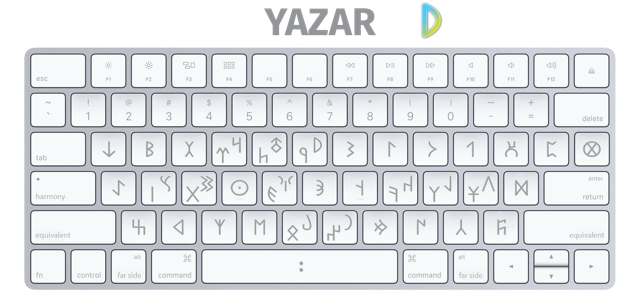
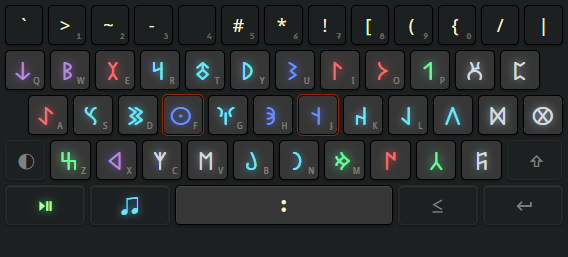
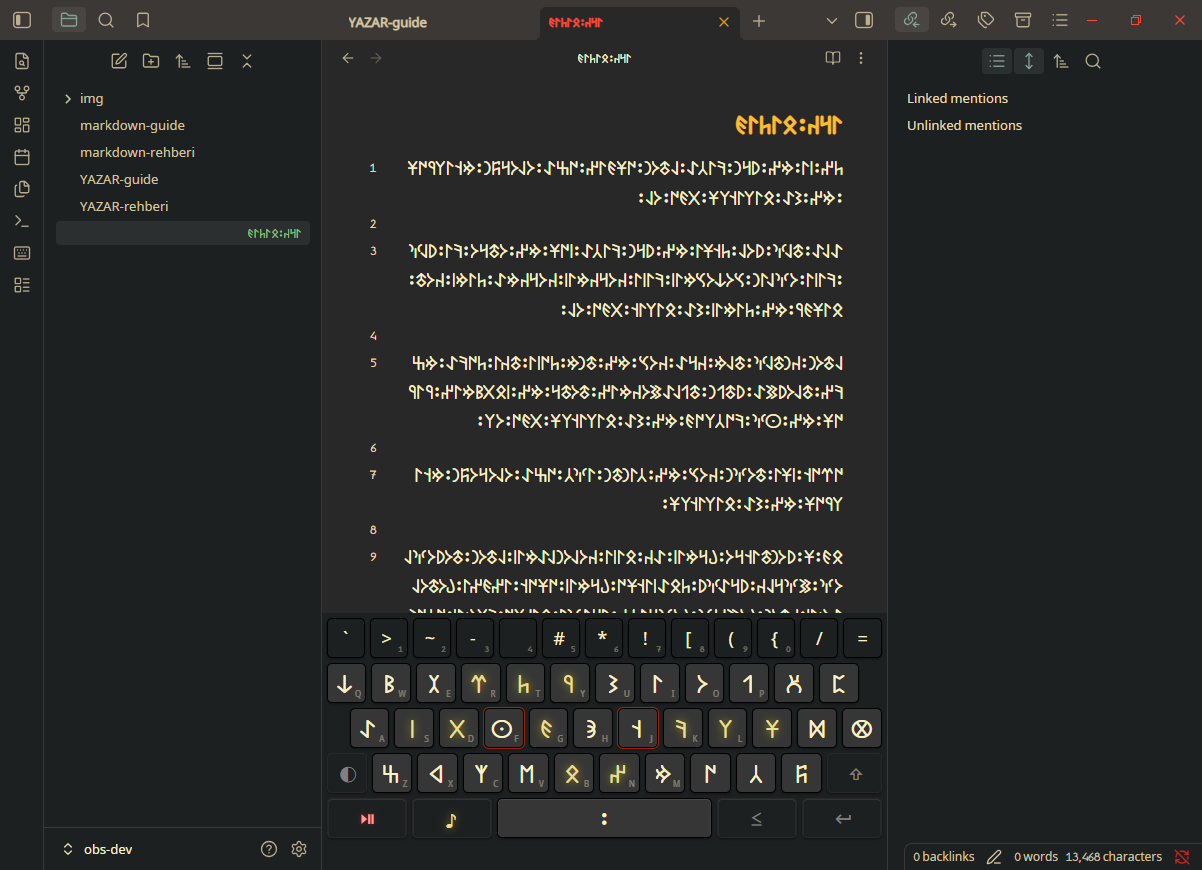
Preserving the aura of antiquity within the dark glass of Obsidian.
🌬️ Vital Breath
- Echoes of the Dawn-Age: Transcribe your thoughts into Tamgas, Runes, and legendary glyphs with a swift, reactive soul.
- The Homing Hinge: Precision input handling (N-Key Rollover) that captures even the most frantic whispers of inspiration.
- Harmonious Scale: Automatic surgical scaling that ensures the hereditary emblems walk side-by-side with contemporary text in perfect visual balance.
- Essence of the Craft: Curated typography selected to uphold an abyssal, soil-deep allure that serves as a mirror for the elder markings’ authentic power.
⚙️ Tuning the Relic
- Locales: Awaken the tongue of your choice.
- Hardware Layouts: Align the instrument’s heart with your physical interface (ISO or ANSI).
- Chromatic Vibrancy: Kindle the jewels within the carvings to distinguish between character groups.
- The Visual Pulse: Toggle a “Key Popup” to see the soul of the glyph rise as you strike the heart of any magical rune-stone.
- Unified Flow: Enable ligatures to let characters flow into one another.
📚 Compendium of Sigils
- Turkic (Orkhon-Yenisei): The age-old sacred seals and nomadic signs of the Steppe, deep-scored into the eternal steles of the Orkhon valley as they were in the dawn of time.
- Runic (Elder/Anglo-Saxon/Younger/Medieval): The fabled glyphs of the North, shadows of the Futhark inscribed upon timber and marrow across the eons.
Fresh dynasties are perpetually being exhumed and surfacing within the device.
⚡ Quick Start
IMPORTANT
YAZAR requires Obsidian v1.11.1 or higher to properly bind these ancient glyphs.
- Install YAZAR from the Obsidian Community Plugins.
- Enable the plugin.
- Toggle YAZAR on/off using the ribbon icon.
- Input glyphs using your physical keyboard or the on-screen keyboard.
🎹 Controls
| Icon | Key | Purpose |
|---|---|---|
 | Alt / Option | Far Side: Switches to alternative glyphs |
 | Shift | Equivalent: Shows sound equivalents in latin alphabet |
 | CapsLock | Harmony: Switches between glyphs that represent harmonic sounds |
 | Ctrl + Key below ‘Esc’ | Play/Pause: Starts and stops YAZAR input |
 | Ctrl + Backspace | Delete Group: Deletes word/line backwards |
🖥️ On Windows
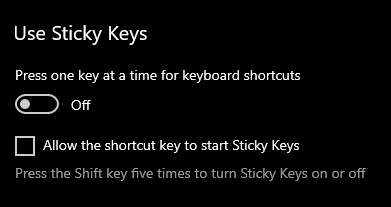
You may want to disable sticky keys.
Windows 10/11
- Settings > Ease of Access > Keyboard > Sticky keys
- Disable “Press one key at a time for keyboard shortcuts”
- Uncheck “Allow the shortcut key to start Sticky keys”
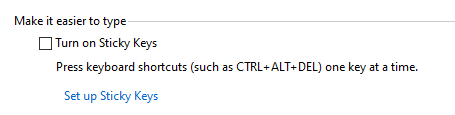
Windows 7/8
- Control Panel > Ease of Access > Ease of Access Center > Keyboard > Make the keyboard easier to use
- Uncheck “Turn on Sticky Keys”
🕯️ Support
If YAZAR has aided you, consider supporting its voyage.
💡 Contribute Your Knowledge
I am always looking to expand YAZAR’s horizons. Should you hold a fervor for a particular alphabet or cipher, your counsel is sought.
- Feedback & Feature Requests: Open an Issue
- Direct Contact: contact@yazga.dev
☕ Support the Developer
Offering a tribute is never required, yet every coin is a spark that keeps the beacon alight. Your generosity is deeply appreciated.


🏮 Finer Details
- The Standard Loom: YAZAR is meticulously woven into the Default Theme. While its creator cannot venture into every custom-spun cloth in the Obsidian realm, its foundation remains steadfast against the winds of change.
- Portable Sorcery: The ritual’s power extends to mobile vessels. When crafting file-names on these smaller mirrors, both the YAZAR interface and your device’s native keys will appear in tandem. This is but a deliberate bridge for those who must switch between worlds with haste.
- The Scribe’s Identity: In the ancient tongue, YAZAR translates to Author or Writer—the one who captures the ephemeral and binds it to the eternal.
🌐 The Great Nexus
- YAZAR is but one star in the YAZGA constellation. Other mystical tools and legacy relics await discovery within my digital domain.


Crafted with 💙 by YAZGA